
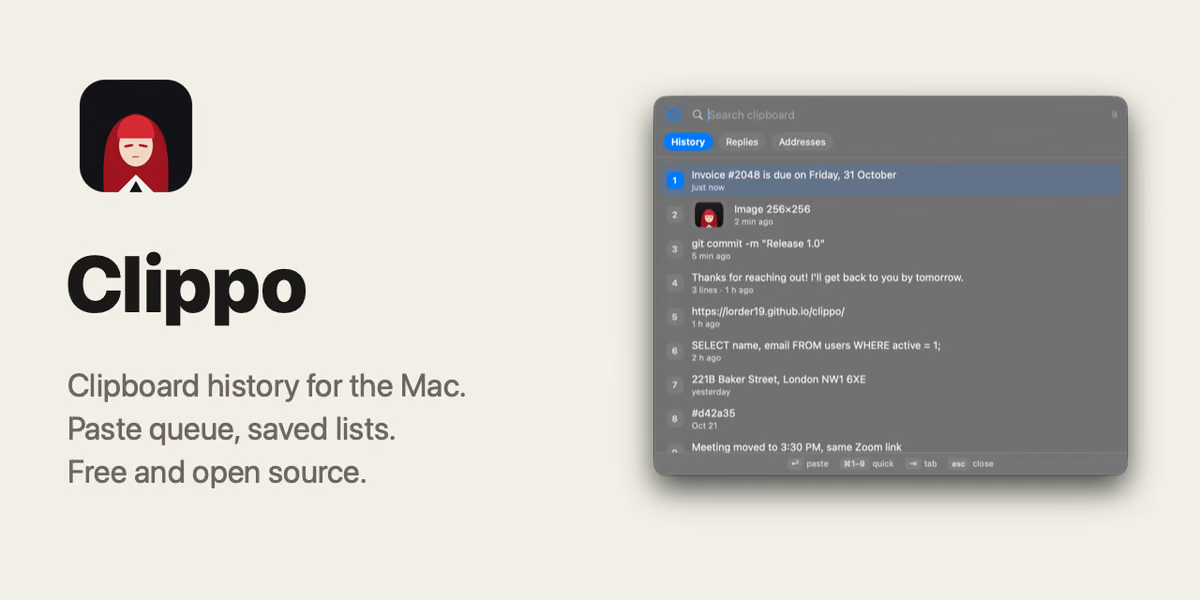
Clippo keeps a searchable history of everything you copy — text and images — and lets you paste any of the last nine items with ⌘1–⌘9, or queue several copies and paste them one by one with repeated ⌘V. It skips anything your password manager marks as concealed, and encrypts history on disk, though the author is upfront that the key sits right next to the data — it stops a leaked file, not someone already at your Mac. Free, about 2MB, macOS 14+, no account, no analytics.
What holds up
- +Paste queue lets you copy several things then paste them one by one with repeated ⌘V, not just history lookup
- +Skips anything your password manager marks as concealed, so passwords never enter clipboard history
- +No account, no analytics, free, about 2MB — the only network call is an opt-in update check
Mind the limits
- −Encryption key sits next to the encrypted data — stops a leaked file, not someone sitting at your Mac
- −Unsigned by Apple — macOS warns on first open and you have to manually allow it in Settings
- −Some screen recording apps ignore its private-window flag, so history could still show up on a recording
Picked here? Add the badge
Put it on your site. It links back to this page. Free for every listed product.

<a href="https://stillworks.dev/products/p/clippo/"><img src="https://stillworks.dev/badge/clippo.svg" alt="Picked by StillWorks" width="230" height="54"></a>